Whether you are a budding entrepreneur or startup looking to develop your own grocery app or online grocery store, Octal Info Solution has a team of experienced developers to help you get started with grocery delivery application development. All you need to do is share with us your idea, expectations from the app, and the rest will be taken care of by us.
Grocery apps are in demand today as more consumers today prefer to order their groceries online. This demand has increased all the more because of the COVID-19 outbreak that has brought various safety guidelines like contactless delivery, social distancing, lockdowns, etc. People can’t visit physical stores to buy groceries. They want to avoid crowds and being around people to prevent the spread of the virus. Online payments are also preferred more today to avoid physical contacts. Moreover, we are in the era of a remote working culture where the majority of consumers are working from home. Hence, they want everything delivered to their doorstep with a hassle-free experience.
With a fully functional and online readymade grocery app, you can cater to this growing demand and meet the requirements of the consumers in your preferred regions. As people become more digital, mobile apps are the way-to-go options for consumers. With your grocery app, people can order their groceries from the comfort of their home, pay online, and get groceries delivered to doorstep in the chosen time window. This offers several benefits to your consumers.
It is really a great business idea and model that will help you make revenues and profits fastly in the market. Hire online grocery app developers today, and bring your idea to action with Octal Info Solution.

Our experienced team of online grocery app developers create mobile apps for various kinds of business models.
This type of grocery app is great if you want a business model that allows customers to just select their desired products without showing anything about the stores. Customers can add their address, choose payment options, and get the order delivered.
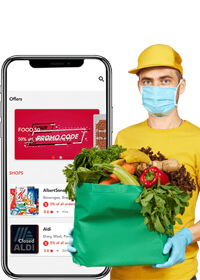
With this type of mobile app development, the customers can browse the stores available to them in nearby locations. They can purchase the products from the store of their choice to be ensured about the quality of the product and pricing.
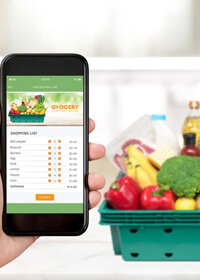
Customized grocery delivery app development is a trend today where the store owners can get specific and on-demand solution developed. They can promote the app and find new customers for their own store, sell more products, and thrive in the market.
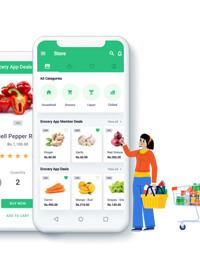
Your aim with the grocery app is to make the lives of your users easier. Let’s have a look at all the essential features to integrate into the app for a seamless and intuitive user experience.
 User Registration
Allowing new consumers to sign up for the app using their email address, phone number, password, or directly using Google Account.
 Browse Products
Explore all the items available through the app, from the categories shown. Users can click on any category and choose required products.
 Search
An important feature that will help users to type any product or category name and easily find the items they want to buy.
 Filter & Sort
While exploring the products, allow users to apply filters and sorting so that they can find the products of their choice quickly.
 Payment Modes
There should be multiple options for payment which help users to pay for the products with their preferred payment mode, like debit/credit card, UPI, etc.
 Delivery Schedule
While placing the order, users can choose the right time for their groceries to be delivered. Allow them to select the date and time slot.
 Reorder
This feature allows customers to quickly place the order based on their previous orders. A handy option that saves a lot of time for users.
 Track Order
After placing the order, this feature helps users to track their order. They can check when the groceries are supposed to be delivered and what’s the current status.
 Offers & Promos
There should be a section where you showcase all the products and items available with discounts or offers for new users or frequent customers.
 Settings
The Settings feature is supposed to enable users to manage their profile, account, notifications, phone number, default address, and other personal details.
 Reviews
Once the order has been delivered, the reviews feature can help in getting feedback and rating from the customers whether they liked the experience or not.
 Cart
CartCart will show all the items the users add to the list of items to be purchased. It will feature the item name, price, quantity, option to remove the product, and the total cost.
 History
The history feature will allow users to check all their past orders from a single place. They can see what they ordered, cost, date of delivery, and other details.
 Push Notifications
You can notify the app users about the latest offers and discounts, order status, remind them about the products in the cart but not ordered, etc.
 Location
Users can enter their location by putting in the ZIP code or the name of the area. This is purposeful for identifying the location of customers and deliver the products.
 Dashboard
A one-stop dashboard for admins to manage everything in the app, whether it is users, stores, orders, payments, support, notifications, revenue, reports, and more.
 Store Management
Admins can manage all the stores connected to the app from a single panel. They can onboard new stores, check activity with more productivity and minimum efforts.
 Listing Management
This feature allows admins to keep a track of all the product listings by the multiple stores. It helps in managing products, pricing, descriptions, etc.
 Monitor Orders
Monitor all the orders placed by the customers through different stores and check if everything is going as expected. Admins can track things and take required actions.
 Customer Management
Implement new strategies to bring new customers, onboard new users, check their progress and activities, and seamlessly manage them from a single place.
 Support
A support panel at the backend to receive customer enquiries through chat, emails, or calls, and respond to them using a CRM or support system.
 Notifications
Create and send notifications to the app users about latest promos, offers, discounts, order status, greetings, as well as latest app updates through a notification feature.
 Analytics & Reports
Check analytics about the app usage, number of new customers, new orders, and other important metrics on a daily, weekly, or monthly basis for intelligent insights.
 Create Sub-Admins
A feature that helps you add more people to the backend who can administrate specified factors like order management, support channel, or customer management.
 Content Management
Using this feature, admins can manage the content on the app, like the content on the homepage, add new content, festival greetings, new options, etc.
 Payment Management
A crucial feature to keep track of all the payments made on the app by the customers to understand the cash flow and pay to the stores and delivery operators.
 Send Invoices
For an on-demand solution, it is essential to send invoices to customers for the products they ordered through your app. This feature sends invoices once order is delivered.
 Product Listing
A feature to help store managers add the products to the app on the basis of availability and stock. They can list new products and mark out of stock status.
 Order Notification
When any customer places a new order through the app and it is sent to the store, the store manager receives a new notification about the order.
 Accept or Reject Orders
Once the order notification is received, the store manager can choose to either accept or reject it depending on the availability of items or opening of store.
 Order Details
When a new order is accepted by the store, the store manager can check the details of the order, such as name of items, quantity, customer name, delivery address, etc.
 Order History
A feature that allows store managers to check all the orders received from a single place. They can see the products, pricing, and date of orders.
 Manage order
Right from the time of accepting the order, checking the order details, and handing the things over to the delivery partner, the store manager can manage everything related to the order.
 In-app Chat and Calling
This feature allows the store manager to get in touch with the customer if there are any issues like the ordered product is out of stock and ask the customer if they want any other item.
 Manage Payments
The store manager can check the payment received for the orders processed by them. They can see the full history along with the mode of payment.
 View Feedback
When the customers rate and review an order after receiving it, the store manager can check it to know how customers reacted, whether they are happy or not satisfied.
Hire app developers today for your idea and meet the growing demand for grocery mobile apps.
 Quick Onboarding
Help people to quickly register on the app, browse products faster, add to cart, and place orders within a few minutes.
 Time Saving
 With an online grocery app, customers can get everything delivered to their doorstep, saving them a lot of time otherwise spent in physical stores.
 Seamless UI/UX
With an interactive design, effortless navigation, and secure payment checkouts, make the experience seamless for customers.
 Multiple Payment Options
By integrating multiple payment options during grocery delivery mobile app development, allow customers to pay with preferred payment mode.
 More Customers
 By utilizing several digital marketing services, you can find more users for the app and bring new customers to purchase the products.
 Contactless Delivery
 Allow your customers to enjoy contactless delivery to stay protected against safety threats, importantly in current situations.
Some of our favorite projects.








Once I connected with the Ewallet app development team at Octal Info Solutions, it became quite easier for me to plan exactly what I wanted from my application. From the ideation to upgrades and launches everything was well planned out with a well defined timeline and we didi had review at the end of each milestone. Although there were some delays because of the third party approval but the team stuck to the timeline delivering a product that would surely help me earn profits.
From the documentation phase to the final proposal discussions, it was outstanding to interact with them. They understood our expectations and gave us confidence. Furthermore, they exhibited an excellent understanding of both the e-wallet domain and the legal aspects of the project.
The app that Octal IT Solution created has been met with a positive response, and they've been able to address any problems that have arisen. They are a responsive partner who provides valuable advice about development. So far, the professional team has met expectations and adhered to deadlines.
I wanted to get an Ewallet mobile application that could make it easier for my customers to complete transactions. I reached the team with a basic idea, and with their experience and expertise in the field they delivered me the product that was much better and feature ladened than I thought!
Octal IT Solution delivered a functional mobile and web solution that met the client's requirements. The team went above and beyond, working overtime to accommodate the client's modification requests. Their deep understanding of the client's expectations and needs allowed them to stand out.

“The Customer’s perception is our reality” – Kate Zebriskie







SINGAPORE - 531A, Upper Cross Street, #04-95
Hong Lim Complex, Singapore (051531)